
Implementation
This guide requires a valid API user and token endpoint details, which are available on the Technical Integration page for logged-in users in MyGS1.
1. Request an access token
Submit a POST request to the token endpoint specified in MyGS1. In the request headers, include Content-Type: application/x-www-form-urlencoded. Replace the placeholder values in the example request with valid credentials and parameters, and then submit the request.
If the request is successful, an access token will be returned in the response.
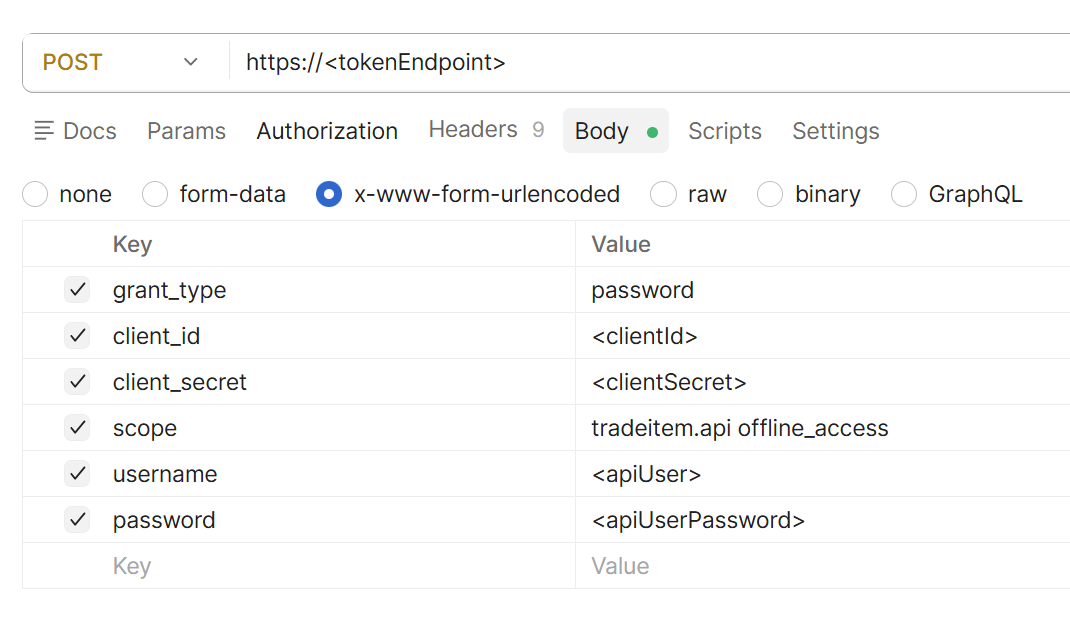
2. Request data from Verified GTIN API
The Verified GTIN API is available to all customers with an assigned number series. To establish connectivity with GS1 Sweden APIs, a test request can be performed using a valid GTIN.
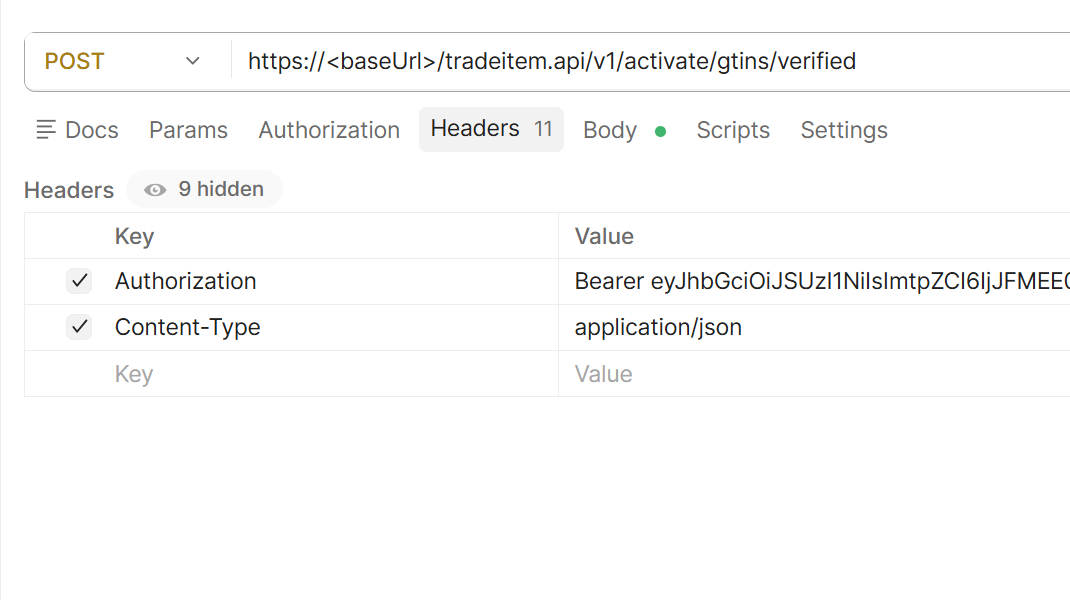
The access token obtained from the token request must be included as a Bearer token in the request header, as illustrated in the accompanying example.
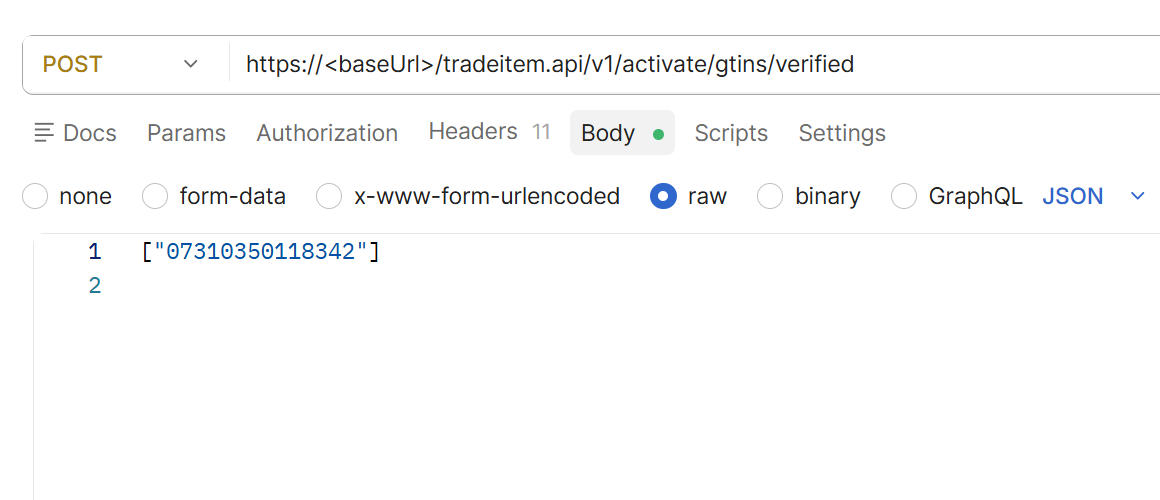
Submit a POST request containing the GTIN 07310350118342 in an array, as shown in the example image below, to receive a response.
Once initial integration has been successfully completed, it is recommended to evaluate and implement the use of refresh tokens to improve efficiency and reduce the need for repeated token requests.